
How we build the Sarj mobile SDK
How we build mobile SDKs that drop into our clients' apps, and what we've learned along the way.

Our assistant lives inside our customers’ apps. Here’s how we built one SDK for iOS and Android that fits into each of them.
Why we have an SDK
Sarj builds voice AI, and most of our customers already have a mobile app. The Sarj SDK brings our assistant into that app. With one setup call, users get a chat screen and a voice screen where they can type or just talk.
The hard part is that our code runs in apps we didn’t write, on release schedules we don’t control. Most of the decisions below come from that.
Two layers, one package
We split the SDK into two parts.
Core does the work. It holds the conversation, runs voice calls, picks up live updates from the assistant and talks to our platform. It has no screens at all.
UI is the screens. It sits on top of Core and only asks it for things. Core doesn’t know the UI exists.
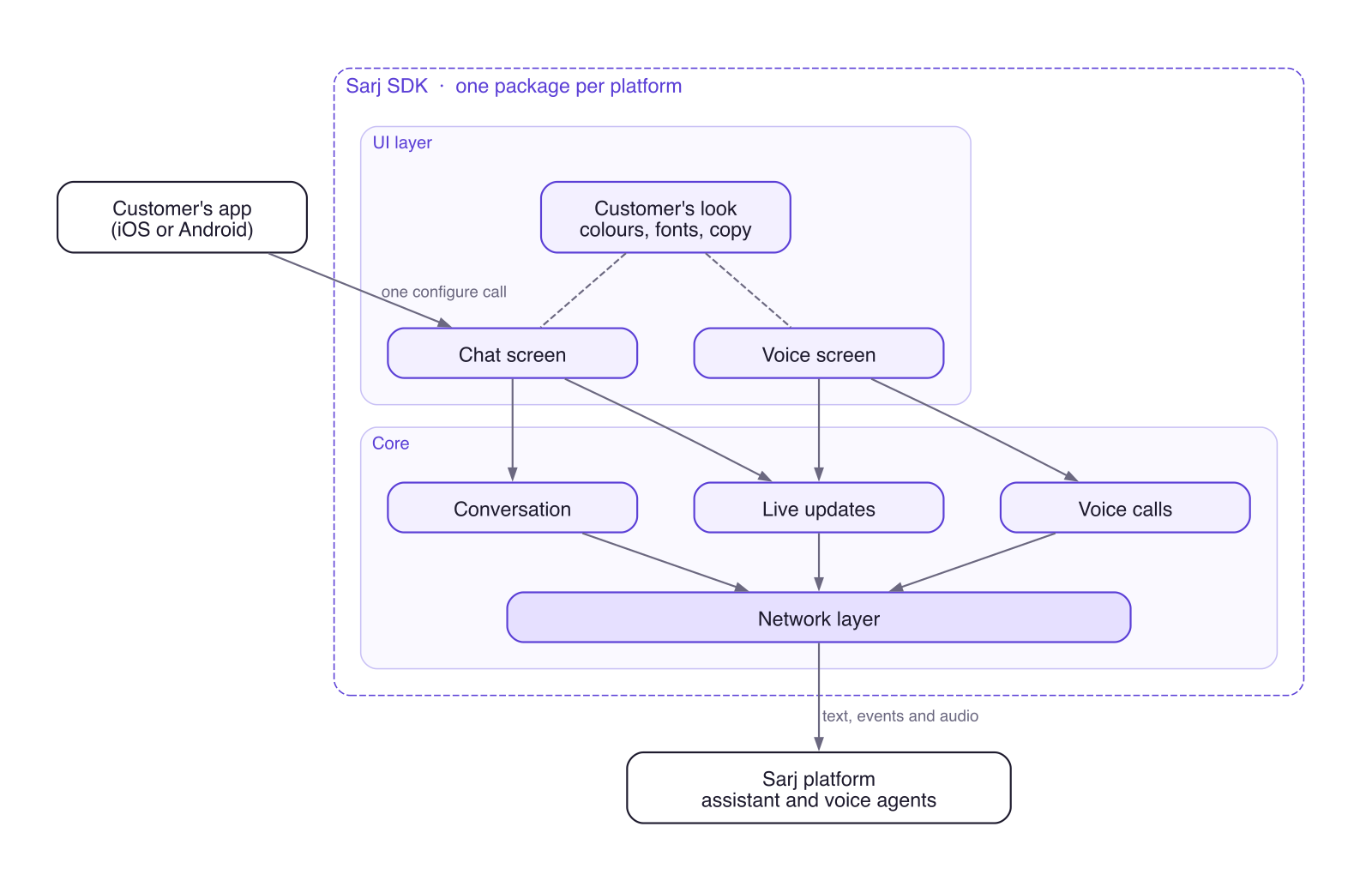
Keeping them apart lets us build and test each one on its own. When we ship, they go out together as one package per platform, so a customer adds one dependency and one setup call.
iOS and Android have the same pieces with the same names, which makes it easy to keep the two in step.
Every customer gets their own look
A customer’s users shouldn’t feel like they’ve left the app, so colours, fonts, wording and artwork all come from the customer. That look goes into the build itself. We take the shared code, add it, and build a package just for that customer.
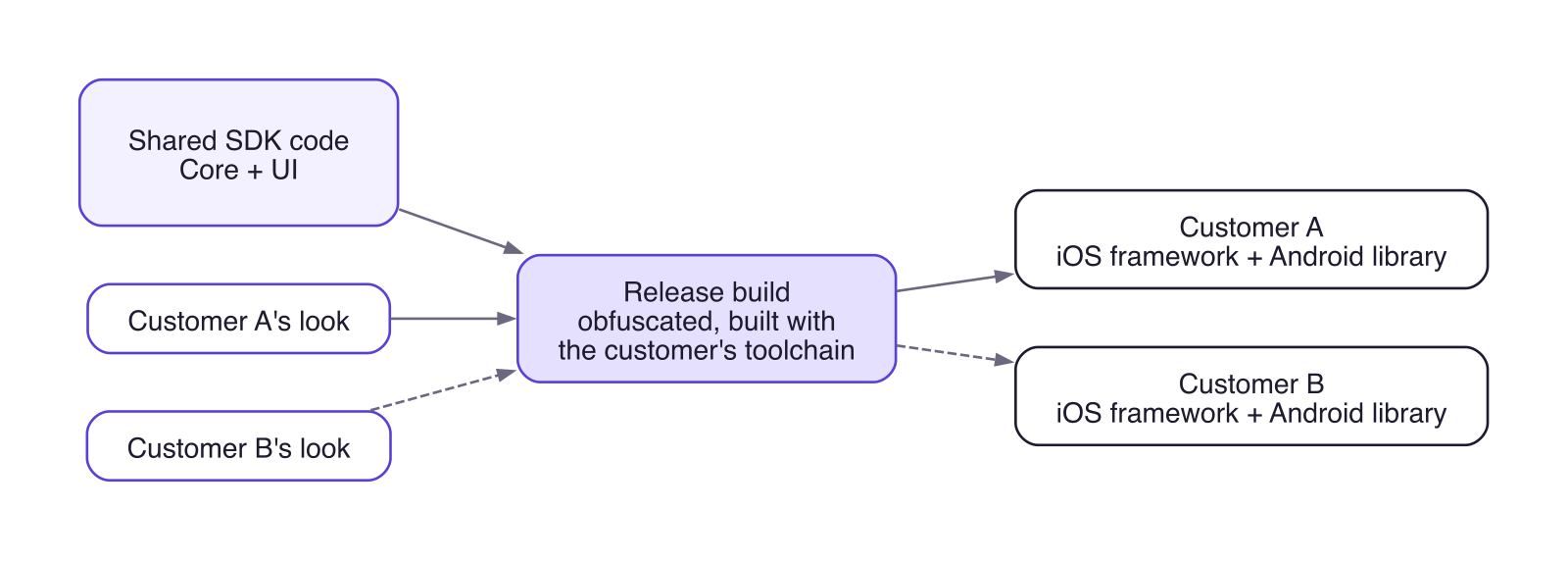
The SDK comes with its own default screens and cards. A customer can replace the ones they want to draw differently and keep the rest. Anything new we add reaches every customer on their next update.
Chat and voice in one place

A user can type or talk, and both are the same conversation. Anything the assistant shows during a call is still there in chat.
Voice needs the most care, since the SDK handles the microphone, Bluetooth headsets and incoming phone calls. We keep the audio code separate, so the rest of a call can be tested without a microphone.
Living in someone else’s app
We build with the customer’s compiler and library versions, so adding our SDK never forces an upgrade on them. The SDK writes no logs of its own, because conversations can include personal details. Release builds are obfuscated, and only the public API keeps readable names.
How we test
Core has unit tests that run against fakes, with no device or backend needed. UI tests render the screens and check that each customer’s colors, fonts, artwork and cards come through. Another test fails if Core ever starts depending on the UI.
End-to-end tests then run a sample app on a simulator from start to finish and save a screenshot at every step, so we can look at each screen ourselves.
If this sounds like work you’d enjoy, get in touch with the Sarj engineering team.